Zendesk Sell
Sell smarter, not harder
Our modern sales CRM frees you to maximize productivity, maintain pipeline visibility, and grow revenue.
Follow the leads
Sales teams need to be savvier than ever. With Zendesk Sell, build data-driven teams to unlock team productivity, keep up with customer expectations, and get full pipeline visibility.
Revenue growth
Boost team productivity
Close more deals with less busy work. Our CRM for sales teams offers everything you need in one simple platform—including contact and deal management, activity tracking, and lead generation. Plus, you can set up triggers and automate tasks to keep reps on target.
See productivity featuresFull customer view
Deliver better customer experiences
See the full context of where your prospects and customers are in their buying journey. With Sell, you can view key customer information across sales and service, all in one platform. Empower reps to deliver personalized conversational experiences from anywhere.
Customer experience featuresReporting and analytics
Get full pipeline visibility
Save yourself from end-of-quarter surprises by accurately forecasting and managing your pipeline in real time. Zendesk gives you full visibility so you can plan, track, and analyze your sales process without heavy lifting.
View reporting featuresTry Sell for yourself
Take Sell for a spin with our interactive product tour and see how your sales team can improve productivity with Zendesk.
APIs, apps, and integrations
Take Sell a step further




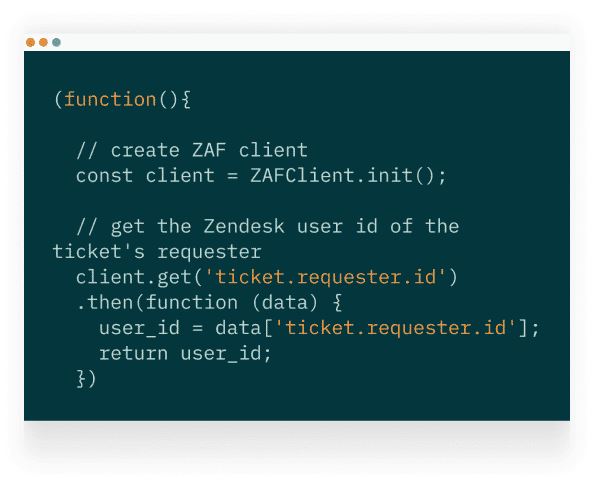


Customize Sell to fit your business needs. Bring Zendesk Sunshine custom objects to leads, contacts, and deals.
See platform

Sell on the go with our mobile app
The award-winning Sell app gives you full functionality—plus geolocation—from your mobile device, so you can stay on top of deals from anywhere. Available on the Apple App Store and Google Play.
What sets Sell apart
Unified platform
Everything you need, all in one place—including prospecting, engagement, lead generation, and communication capabilities.
Lower total cost of ownership
No one likes hidden fees. Sell offers lower total cost of ownership from setup to ongoing maintenance.
Simple setup
Sell features an intuitive, conversational interface built around everyday sales activities, making it extra easy to use.
70%
of teams deploy Sell in fewer than 8 weeks
2 in 3
sales teams saw a return on their investment in the first 6 months
>50%
of organizations have seen double digit revenue growth
Zendesk simple, flexible pricing
Pricing plans start at $19/month
Sell Team
$19/month
For sales teams that are just starting out. Get sales essentials to track and organize your leads, contacts, and deals in one place.
Sell Growth
$55/month
For growing sales teams. Manage the complete sales process with a full set of sales tools featuring advanced forecasting and analytics.
Sell Professional
$115/month
For scaling sales teams. Increase efficiency with task automation, lead and deal scoring, and advanced permissions and roles.
Sell Enterprise
$169/month
For multi-department sales teams or teams with advanced needs. Gain enterprise-level features to deliver best-in-class sales experiences.
Why customers love Zendesk